
Education is changing very fast. Classrooms are no longer limited to blackboards, chalk, and printed books. Today, teachers need smart tools that make lessons more interesting, more visual, and easier to understand. This is where the Benchmark Sigma AI A7 Pro Interactive Flat Panel comes in.
Designed by Benchmark Technomate, this advanced Interactive Flat Panel is built to support modern teachers, trainers, schools, coaching institutes, and even content creators. It combines artificial intelligence, powerful hardware, and smart teaching software in one device.
In this blog, we will explore everything about the Benchmark Sigma AI A7 Pro, how it works, and why it is becoming one of the most powerful tools for smart classrooms and digital teaching.
What is Benchmark Sigma AI A7 Pro Interactive Flat Panel?
The Benchmark Sigma AI A7 Pro is a large touch-enabled digital board that replaces traditional whiteboards and projectors. It allows teachers to write, draw, show videos, open presentations, and even use AI tools — all on one screen.
It is called an Flat Panel because:
- It has a flat LED display
- It supports touch writing with fingers or stylus
- It runs on a smart operating system
- It allows full interaction with digital content
This makes teaching more engaging and learning more effective.
Also Read: Benchmark Rainbow Silver Pack | Studio Setup for Creators and Online Teaching

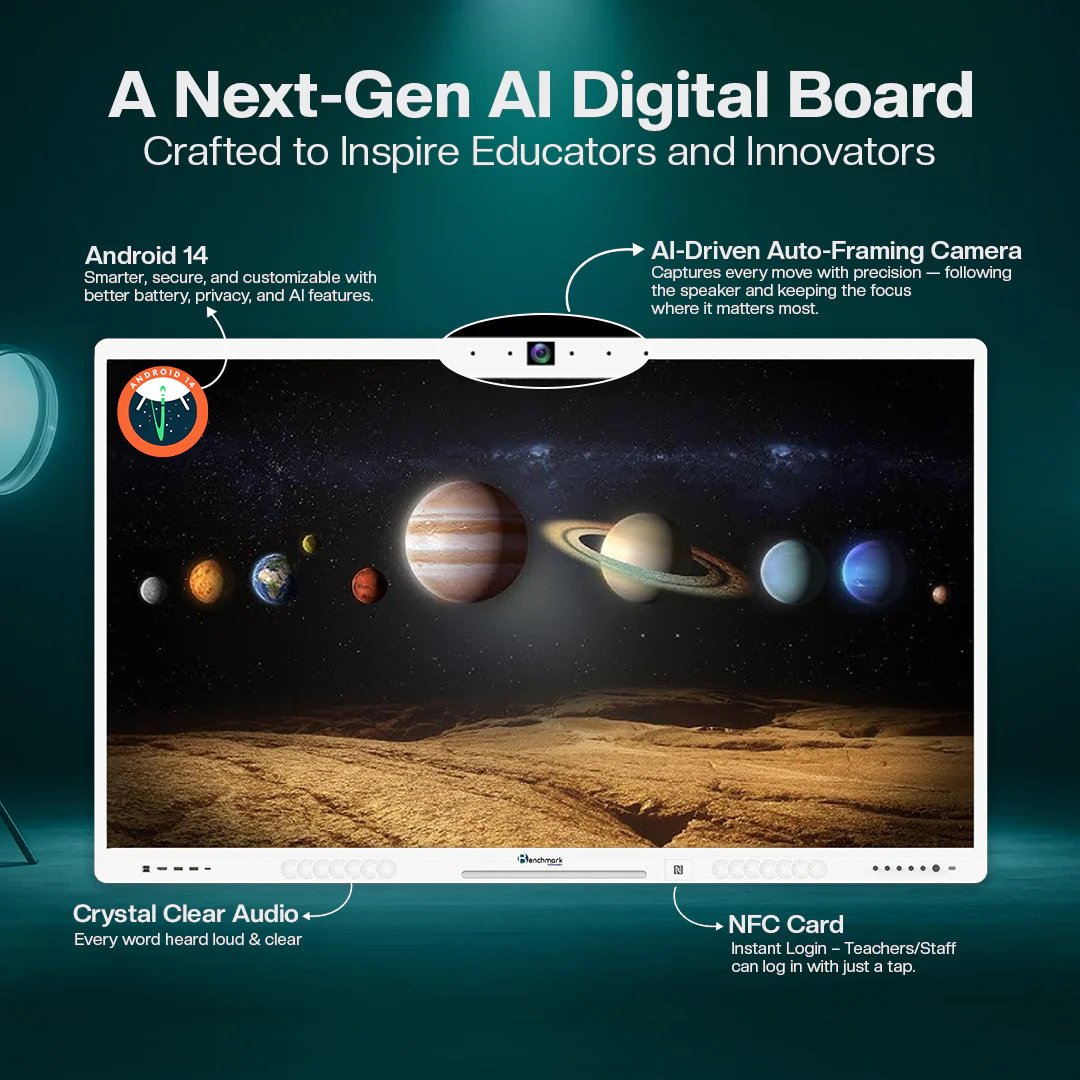
A Next-Generation AI Digital Board
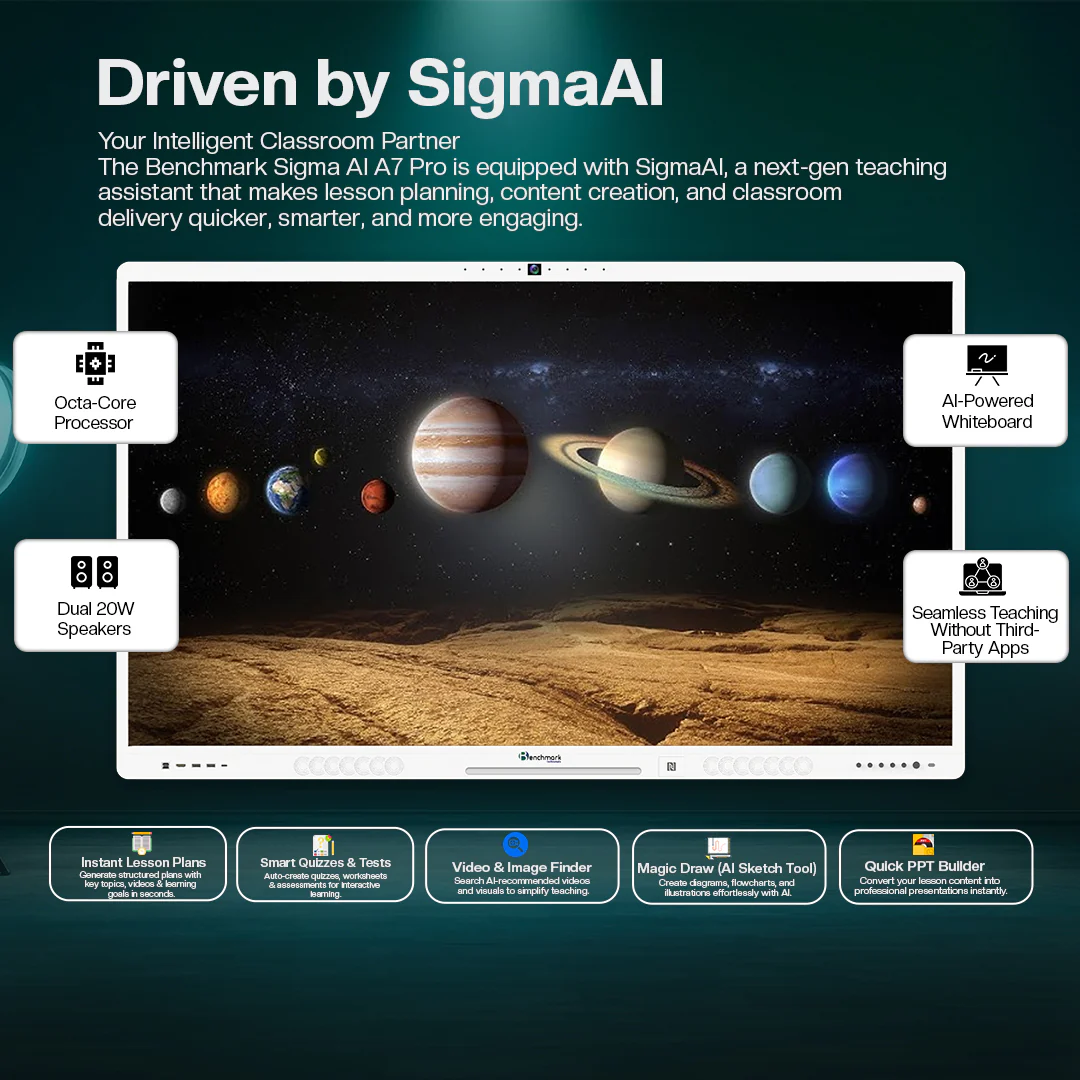
The Benchmark Sigma AI A7 Pro Flat Panel is not just a screen. It is an AI-powered teaching system.
Built-In AI Teaching Assistant
This panel includes AI features that help teachers with:
- Creating lesson plans quickly
- Finding images and videos for topics
- Making quizzes and worksheets
- Drawing diagrams using AI tools
- Turning notes into presentations
This saves teachers time and helps them focus more on teaching instead of preparing materials for hours.
Also Read: Complete Studio Setup for Teachers | Benchmark Rainbow Platinum Pack
Powerful Android 14 Operating System
The Benchmark Sigma AI A7 Pro runs on Android 14, which is one of the latest and most secure systems.
Benefits of Android 14 in Interactive Flat Panel
- Faster performance
- Better security and privacy
- Smooth app experience
- Easy customization
- Support for latest educational apps
Teachers can download learning apps, open PDFs, use Google tools, and access online platforms easily.
Also Read: Best Mic for Podcast Studio | Benchmark Podcast Microphone
AI-Driven Auto-Framing Camera
One of the most exciting features of the Benchmark Sigma AI A7 Pro Flat Panel is the AI auto-framing camera.
How It Helps
- The camera follows the teacher automatically
- Keeps the teacher in the center during online classes
- Perfect for hybrid classrooms
- Ideal for recording lectures
This is very useful for:
- Online classes
- Recorded video courses
- Live streaming sessions
Teachers do not need a separate camera setup. Everything is built into the panel.
Crystal Clear Audio System
Good sound is very important in a classroom, especially in large rooms. The Benchmark Sigma AI A7 Pro comes with powerful built-in speakers.
Audio Features
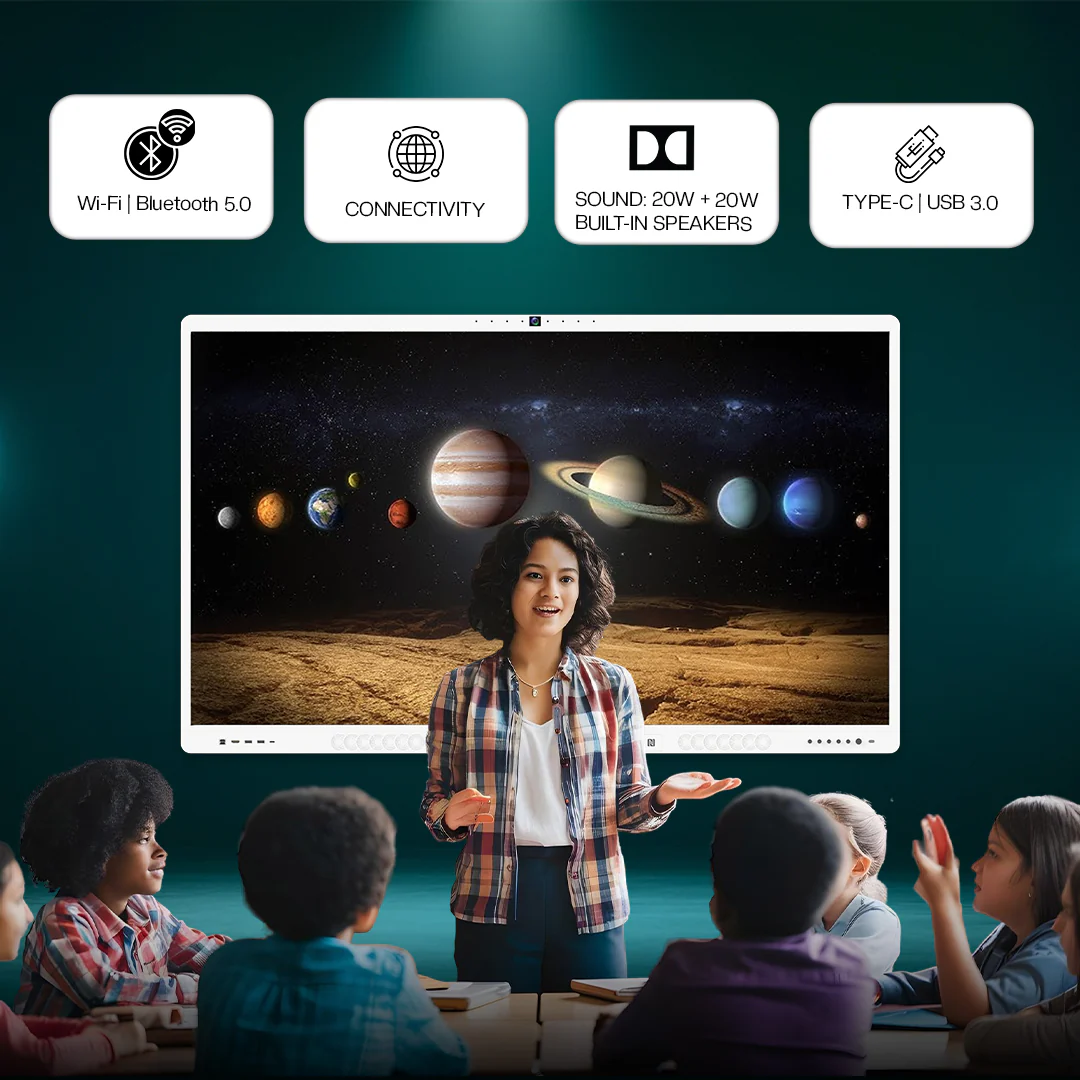
- Dual 20W speakers
- Clear voice output
- No need for external speakers in most classrooms
- Perfect for videos, lectures, and online meetings
Students sitting at the back of the class can hear clearly without any problem.
AI-Powered Whiteboard Experience
The whiteboard in the Benchmark Sigma AI A7 Pro Flat Panel is not a simple writing space. It is an AI-powered digital whiteboard.
What Teachers Can Do
- Write with fingers or stylus
- Change pen colors and thickness
- Draw shapes easily
- Convert handwriting into text
- Use AI to draw diagrams
This makes subjects like maths, science, and engineering much easier to explain.
Fast Performance with Octa-Core Processor
The Benchmark Sigma AI A7 Pro includes a powerful Octa-Core Processor.
Why This Matters
- Apps open quickly
- Videos run smoothly
- No lag while writing
- Multiple tasks can run at the same time
Teachers can open a presentation, play a video, and write notes — all together without slowing down.
Smart Teaching Tools Built Inside
The Benchmark Sigma AI A7 Pro Flat Panel includes many built-in teaching tools.
Instant Lesson Plan Generator
Teachers can create structured lesson plans quickly.
Smart Quizzes & Tests
Make interactive quizzes for students within minutes.
Video & Image Finder
Search and insert educational visuals directly.
Magic Draw Tool
Draw charts, diagrams, and illustrations using AI.
Quick PPT Builder
Convert lessons into presentations instantly.
These tools make the Flat Panel not just a display but a complete teaching assistant.
Easy Connectivity Options
The Benchmark Sigma AI A7 Pro supports many connection options.
Wireless Features
- Wi-Fi support
- Bluetooth 5.0
Wired Ports
- Type-C
- USB 3.0
- HDMI
- Audio ports
Teachers can connect:
- Laptops
- Pen drives
- Cameras
- Microphones
This makes the Flat Panel flexible and future-ready.
NFC Card Login for Teachers
A very modern feature in the Benchmark Sigma AI A7 Pro Flat Panel is NFC card login.
How It Works
Teachers can tap their NFC card to log in instantly.
Benefits
- Saves time
- Personal settings load automatically
- Safe and secure access
Each teacher can have their own teaching environment.
Best Suitable For Different Users
The Benchmark Sigma AI A7 Pro is useful for many environments.
1. Teachers & Trainers
- Smart classrooms
- Online teaching
- Coaching institutes
2. Content Creators
- Recording lectures
- Live streaming
- Online courses
3. Corporate Offices
- Meetings
- Presentations
- Remote collaboration
4. Institutes & Colleges
- Blended learning
- Digital classrooms
- Seminar halls
Benefits of Using Benchmark Sigma AI A7 Pro Interactive Flat Panel
Here are the major advantages:
✔ Makes classes more interactive
✔ Saves teacher preparation time
✔ Improves student understanding
✔ Supports hybrid and online learning
✔ Reduces need for multiple devices
✔ Professional setup in one screen
Why Schools Are Moving to Flat Panels
Traditional projectors have many problems:
- Low brightness
- Shadow on board
- Bulb replacement cost
- Less touch support
The Benchmark Sigma AI A7 Pro Flat Panel solves all these issues by offering:
- Bright 4K display
- No shadow
- Long life LED panel
- Smooth touch writing
This makes it a better long-term investment.
Future of Education with Benchmark Technomate
Benchmark Technomate is focused on bringing advanced technology into classrooms. The Benchmark Sigma AI A7 Pro Flat Panel is a big step toward AI-powered education.
As education becomes more digital, tools like this will become essential, not optional.
Final Thoughts
The Benchmark Sigma AI A7 Pro Flat Panel is more than a digital board. It is a complete smart classroom solution powered by AI, strong hardware, and easy-to-use software.
It helps teachers teach better, students learn better, and institutions move toward the future of education.
If you are planning to upgrade your classroom, studio, or training center, the Benchmark Sigma AI A7 Pro is one of the most powerful and future-ready options available today.
FAQs
1. What is the Benchmark Sigma AI A7 Pro used for?
The Benchmark Sigma AI A7 Pro is an Flat Panel used for smart teaching, online classes, presentations, and content creation. Teachers can write, show videos, use AI tools, and make lessons more engaging.
2. Does the Benchmark Sigma AI A7 Pro support online teaching?
Yes. It has a built-in AI camera and microphone system that makes it perfect for online classes, live streaming, and recorded lectures. The camera follows the teacher automatically.
3. Do we need a separate computer to use this Flat Panel?
No, not necessarily. The panel runs on Android 14 and has built-in apps and tools. However, you can also connect a laptop or PC if needed.
4. Can multiple teachers use the same panel with their own settings?
Yes. The panel supports NFC card login, so teachers can log in quickly and access their own files, apps, and settings safely.
5. Who should buy the Benchmark Sigma AI A7 Pro?
It is best for schools, colleges, coaching institutes, corporate training rooms, and content creators who want a professional and smart teaching or presentation setup made by Benchmark Technomate.