
Table of Contents
The world of education has moved home. For millions of tutors, coaches, and content creators, the spare bedroom, the home office, or even a quiet corner of the living room has become their new classroom. But in this crowded digital marketplace, a grainy webcam and a laptop microphone are no longer enough. To captivate students, command premium fees, and build a personal brand, you need to deliver a professional, broadcast-quality experience.
You need a Home Teaching Studio.
The challenge? Building a studio used to be expensive, complicated, and required a degree in audio-visual engineering. You’d need to source cameras from one brand, microphones from another, lights from a third, and then pray they all worked together.
Benchmark Technomate has changed everything.
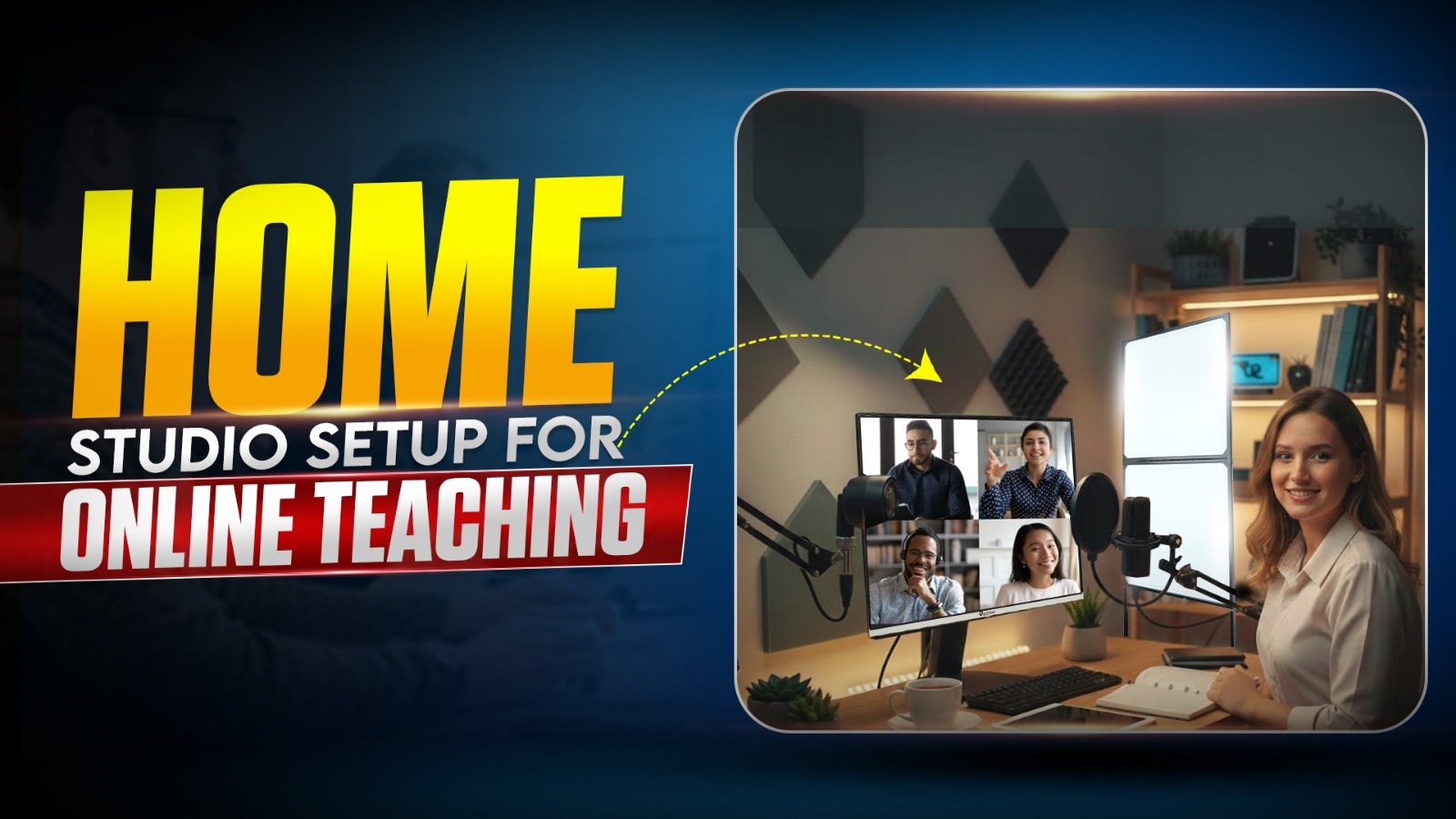
As India’s leading ed-tech innovator, they have created a complete, integrated ecosystem designed specifically for the home educator. They don’t just sell products; they provide a blueprint for success. This blog is your definitive guide to transforming any space in your home into a world-class teaching studio using Benchmark Technomate’s cutting-edge solutions. We will move beyond the basics and build a setup that is professional, powerful, and surprisingly easy to use.
1. The New Standard: Why Your Home Setup Needs an Upgrade
In the early days of online teaching, students were forgiving. Now, their expectations have shifted. They consume high-quality content on YouTube and Netflix daily. When they log into your class, they expect a similar level of professionalism.
A professional home studio isn’t just about vanity; it’s a strategic investment that delivers tangible returns:
- Increased Student Engagement: Clear audio and crisp visuals keep students focused. A dynamic, interactive presentation is far more compelling than a static PDF.
- Higher Perceived Value: A professional setup justifies higher course fees. It signals that you are a serious educator who invests in their craft.
- Brand Building: Your studio is your brand. A clean, branded background with high-quality production value builds trust and authority.
- Efficiency & Ease: A well-designed studio is always ready. No more fumbling with wires or troubleshooting audio five minutes before a class. You just walk in and start teaching.
Benchmark Technomate understands this. Their entire product philosophy is built around empowering individual educators to achieve institutional-grade quality from the comfort of their homes.
2. The Heart of Your Studio: The Benchmark Interactive Flat Panel (IFP)
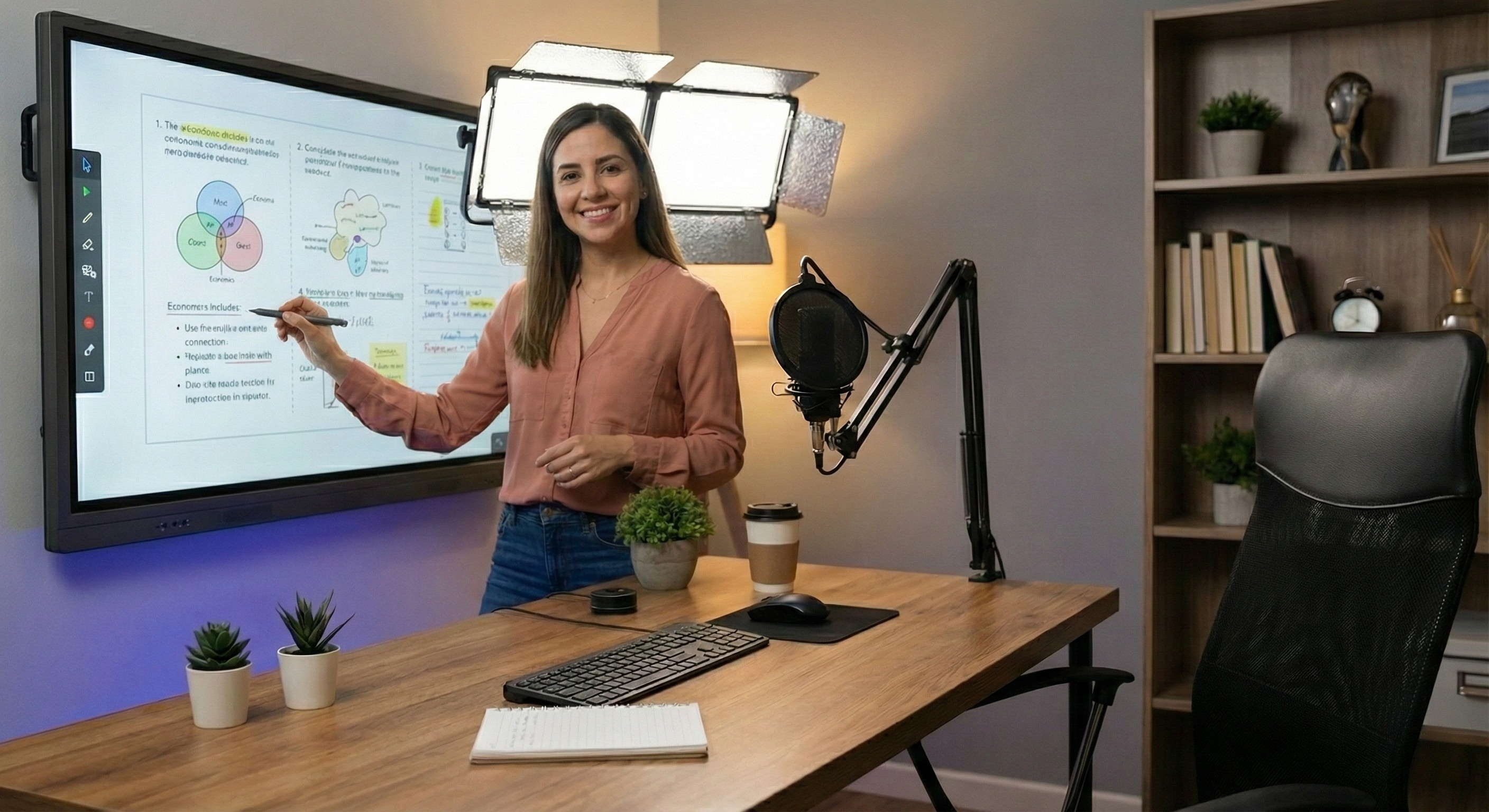
Forget the tiny laptop screen or the old-school whiteboard. The centerpiece of your home studio must be a large, interactive digital canvas. This is where you will write, annotate, display presentations, and interact with your content. Benchmark Technomate offers the perfect range of Interactive Flat Panels (IFPs) for the home environment.
Choosing Your Canvas: The 65-inch vs. 75-inch Dilemma
For a home studio, size is the first critical decision.
- The 65-inch Benchmark IFP: This is the ideal choice for most home setups. It’s large enough to be an immersive canvas but compact enough to fit comfortably in a spare bedroom or home office without dominating the space. It allows you to stand closer to the camera, creating a more intimate and conversational connection with your students.
- The 75-inch Benchmark IFP: If you have a larger dedicated room and want a truly commanding presence, the 75-inch is the gold standard. It provides ample space for complex diagrams, side-by-side multitasking, and a cinematic viewing experience for your students.
Once you’ve chosen the size, you need to choose the model.
The “Studio-in-a-Box”: The Benchmark Sigma AI A7 Pro
For the educator who wants the ultimate, no-hassle, all-in-one solution, the Benchmark Sigma AI A7 Pro is a dream come true. It is specifically designed to be a complete broadcasting unit.
- Integrated 4K AI Camera: No need to buy an external webcam. The Sigma Pro has a broadcast-quality 4K camera built into the frame. It features AI auto-tracking, which automatically follows you as you move around, keeping you perfectly framed.
- Integrated 8-Microphone Array: Say goodbye to headset wires. The built-in beamforming microphone array picks up your voice with crystal clarity from anywhere in the room, while noise-cancellation technology filters out background home noises like a ceiling fan or distant traffic.
- AI Teaching Assistants: The onboard AI engine helps you create content on the fly. Need an image of a “DNA helix”? Just write it, and the AI fetches it. Need a quick quiz? The AI generates it instantly. This keeps your classes flowing smoothly without awkward pauses.
With the Sigma AI A7 Pro, your entire video and audio setup is built into your board. You just plug it in, and you’re on air.
The Budget-Friendly Pro: The Benchmark Classic Series
If you’re on a tighter budget but still demand professional quality, the Benchmark Classic Series is an unbeatable value proposition.
- Stunning 4K Display: You get the same brilliant 4K UHD visual quality, ensuring your content looks razor-sharp.
- Zero-Bonding Writing Technology: The writing experience is flawless. There is no gap between the glass and the display, making it feel exactly like writing on paper—crucial for math teachers or anyone who writes a lot.
- Flexibility: Because it doesn’t have a built-in camera, it comes at a much lower price point. This frees up your budget to build a modular studio with dedicated external Benchmark audio and video gear, giving you more control over your setup.
3. The “Command Center”: The Benchmark All-in-One (AIO) PC
Your IFP is your canvas, but you need a powerful engine to run your broadcast. Many teachers try to use their existing laptops, but this often leads to frustration. Laptops can overheat, their fans get noisy, and they lack the ports needed for a pro setup.
The solution is the Benchmark All-in-One (AIO) PC. This is your studio’s command center.
Why a Laptop Isn’t Enough
A professional online class involves running multiple resource-intensive applications simultaneously:
- Video Conferencing Software: Zoom, Google Meet, or Teams, often handling HD video.
- Broadcasting Software: OBS Studio for managing scenes, overlays, and recording.
- Teaching Content: Heavy PowerPoint presentations, 3D modeling software, or a web browser with 20 tabs open.
- Driving a 4K Display: Sending a 4K signal to your large IFP.
A typical laptop will struggle, lag, or crash under this load. The Benchmark AIO is built for it. With powerful processor options (like the Intel Core i5), ample RAM, and fast SSD storage, it handles this multitasking marathon without breaking a sweat.
The Power of a Dual-Screen Workflow
The real magic happens when you pair the AIO with your IFP. This creates a professional dual-screen workflow:
- Screen 1 (The IFP): This is your “on-air” screen. It displays only what you want your students to see—your whiteboard, your slides, your diagrams. It remains clean and uncluttered.
- Screen 2 (The Benchmark AIO): This is your “backstage” screen. Only you see it. Here, you manage your Zoom chat, see your student’s video feeds, control your OBS scenes, view your lesson notes, and monitor your audio levels.
This separation is the secret to a smooth, professional broadcast. You never have to awkwardly minimize a window or show your desktop to your students again. Plus, the Benchmark AIO’s sleek, single-cable design keeps your home desk looking clean and professional.
4. Broadcast Quality Audio & Video: The Benchmark Difference
If you opt for the Benchmark Classic Series IFP, you’ll need to add external audio and video components. Benchmark Technomate provides professional-grade solutions that integrate seamlessly.
Video: The Benchmark 4K PTZ Camera
A standard webcam is static. A Benchmark 4K PTZ (Pan-Tilt-Zoom) Camera is dynamic. It’s a robotic camera that you can control remotely.
- Optical Zoom: Unlike a webcam’s digital zoom which gets blurry, the PTZ camera uses a real lens to zoom in with zero loss of quality. You can have a wide shot of you at the board and then instantly zoom in tight on a complex equation you’re writing.
- Presets: You can save different camera angles to a remote control. With the push of a button, the camera smoothly moves from “Angle 1: Teacher & Board” to “Angle 2: Close-up on Teacher.” This adds a TV-production quality to your classes.
- Perfect Positioning: You can mount it on a tripod or a wall shelf at the perfect eye level, independent of the board’s position.
Audio: The Benchmark Wireless Microphone System
Audio is the most critical part of your setup. Students will tolerate okay video, but they will tune out bad audio. The Benchmark Wireless Microphone System is the answer.
- Freedom of Movement: A clip-on lapel mic allows you to move freely. You can turn to write on the board, walk to grab a prop, or sit at your desk—your voice volume and clarity remain perfectly consistent.
- Professional Sound: It delivers rich, broadcast-quality audio that is miles ahead of any laptop or webcam microphone.
- Plug-and-Play: It connects wirelessly to your AIO PC with a simple USB receiver, with no complex setup required.
5. The Benchmark Home Studio Blueprint: Putting It All Together
Now, let’s assemble the ultimate home teaching studio.
The Setup Checklist:
- The Canvas: Benchmark Classic Series IFP (65-inch recommended for most homes) mounted on the wall or a mobile stand.
- The Command Center: Benchmark All-in-One (AIO) PC on your desk, connected to the IFP via HDMI and USB for touch.
- The Eye: Benchmark 4K PTZ Camera mounted on a tripod behind your desk at eye level, connected to the AIO PC.
- The Voice: Benchmark Wireless Microphone clipped to your shirt, with the receiver plugged into the AIO PC.
- The Internet: A hardwired Ethernet connection to your AIO PC is highly recommended for the most stable streaming.
Ergonomics and Lighting
- Placement: Position your desk in front of the IFP so you can easily switch between looking at your students on the AIO screen and writing on the big board.
- Lighting: Don’t rely on the room’s ceiling light, which creates ugly shadows. Invest in two simple softbox lights. Place them at 45-degree angles in front of you to create soft, flattering, and professional illumination.
- Background: Keep the wall behind you clean. A plain wall, a neatly organized bookshelf, or a professional pull-up green screen (which Benchmark also offers!) are great options. The focus should be on you and your content.
6. The “Make in India” Advantage: Why Benchmark is Your Best Partner
Building a studio is an investment. You need a partner you can trust. Benchmark Technomate, as a premier “Make in India” brand, offers advantages that imported brands cannot match.
- Financial Accessibility: Benchmark understands that upfront cost is a major hurdle for individual educators. They offer flexible Zero Down Payment EMI options. You can get your entire studio setup—board, PC, camera, and mic—for a minimal processing fee and pay for it in easy monthly installments as you earn from your classes.
- Local, On-Site Support: This is critical. If your board has an issue, you can’t ship a 65-inch panel back to China. Benchmark has a nationwide network of service engineers. They provide an On-Site Warranty, meaning a technician comes to your home to fix any hardware issues. This minimizes downtime and protects your livelihood.
- A Unified Ecosystem: When you buy everything from Benchmark, you know it will work together. There are no driver conflicts or compatibility issues. It’s a single, cohesive system with one point of contact for support.
7. Conclusion: Your Professional Future Starts at Home
The barrier to entry for creating a world-class teaching studio has never been lower. You don’t need a spare lakh of rupees in the bank, and you don’t need to be an IT expert.
With Benchmark Technomate, you have a partner that provides the complete blueprint. From the intelligent canvas of their Interactive Flat Panels to the powerful command center of their AIO PCs, and the broadcast-quality audio-visual accessories, they offer everything you need to transform your spare room into a professional broadcasting hub.
By investing in a Benchmark Home Studio, you are investing in yourself. You are elevating your teaching, enhancing your student’s experience, and future-proofing your career in the digital age. The technology is ready. The only question is, are you?
8. Frequently Asked Questions (FAQ)
Q1: My room is small (e.g., 10×10 feet). Will a studio setup fit? A: Absolutely. A 65-inch Benchmark IFP mounted on a wall takes up zero floor space. The slim Benchmark AIO PC fits on a small desk. A home studio can be very compact and efficient. The 65-inch size is perfect for smaller rooms as it doesn’t overwhelm the space or require the camera to be too far back.
Q2: I’m not very tech-savvy. Is this setup difficult to learn? A: Not at all. The Benchmark IFP works just like a large Android tablet—it’s very intuitive. The AIO PC is a standard Windows computer. The camera and microphone are designed to be plug-and-play. Benchmark’s goal is to make the technology transparent so you can focus on teaching.
Q3: Can I use my existing laptop instead of buying the Benchmark AIO PC? A: You can, but it’s not recommended for a professional setup. A laptop may struggle with the demands of running a 4K board, video conferencing, and teaching apps simultaneously. It also adds cable clutter. The Benchmark AIO is purpose-built for this workload and creates a much cleaner, more reliable “command center.”
Q4: What internet speed do I need for a home studio? A: For high-quality streaming and video conferencing, a stable upload speed of at least 10-20 Mbps is recommended. Always use a wired Ethernet connection to your AIO PC instead of Wi-Fi for the most reliable results.
Q5: How does the EMI process work for an individual teacher? A: It’s very simple. You can visit a local Benchmark Technomate distributor. They have tie-ups with financial partners. With basic KYC documents (PAN, Aadhaar, bank statement), you can get instant approval for a Zero Down Payment or low-cost EMI plan, allowing you to take your studio setup home immediately.
Q6: What if something breaks? Do I have to ship it back? A: No. That’s the Benchmark advantage. All their major hardware comes with an On-Site Warranty. You simply call their support number, and a technician will be dispatched to your home to diagnose and repair the issue.
Top 10 Interactive Flat Panels for Online Teaching –https://benchmarktechnomate.in/top-10-interactive-flat-panels-for-online-teaching/
Low Cost Online Teaching Studio Setup 2026-https://benchmarktechnomate.in/low-cost-online-teaching-studio-setup-2026/